
Stake login in Canada
How to sign in to Stake, reset a password, set up 2FA, and — most importantly — how to spot fake login pages. We are an information site, not Stake support, so we always point you to the official platform.
Go to the official Stake site →
Security first: We will never ask for your password or 2FA codes, and neither will genuine Stake staff. Only ever log in on the official Stake website that you reached yourself — not through ads, emails, or direct messages.
Signing in
Open the official site
Navigate to Stake yourself using a bookmark or by typing the address. Verify the URL before entering anything.
Select Login
Choose the login option and enter your registered email or username and your password.
Complete 2FA
If two-factor authentication is on, enter the code from your authenticator app to finish signing in.
Land in your account
From the dashboard you can reach the games, the offers page for codes, and your account settings.
Common login issues
Forgot password
Use the reset link on the official login screen and follow the email steps. Choose a long, unique password you do not use elsewhere.
Lost 2FA device
Use your saved backup codes. If you cannot access them, contact official Stake support through the genuine site — never a third party.
Account locked
Repeated wrong attempts or security checks can pause access. Wait, then retry on the official site, or reach out to Stake support.
Can't load the page
Clear your cache, try another network or the mobile browser, and confirm you are on the correct address. See the app page for mobile tips.
Phishing and fake login pages
RED FLAGS Likely fake
- A login link sent by DM, email or ad.
- A URL that is misspelled or slightly “off”.
- Pressure to log in fast to “claim” something.
- Anyone asking for your password or 2FA code.
SAFE Good habits
- Reach the site via your own bookmark.
- Check the exact address before typing.
- Keep 2FA on and codes private.
- Use a password manager and unique password.
Once you're in
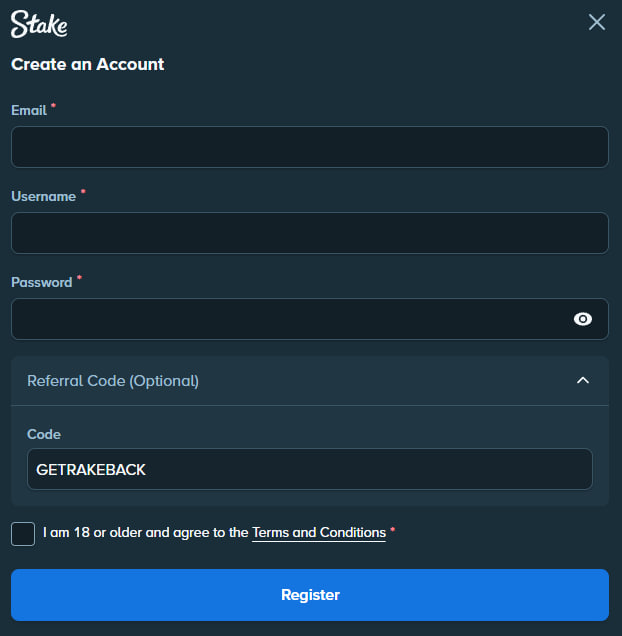
Activate the welcome offer with the GETRAKEBACK promo code, learn the game on the Stake Mines Canada page, sharpen your approach with the strategy guide, and check the platform's standing on our is Stake legit page.
Login questions
No. This is an independent information page. You log in on the official Stake website, which you should reach yourself. We are not Stake support.
Stake's terms generally allow one account per person. Multiple accounts can breach the rules — always read the current terms on the official site.
Passwords can leak in breaches. 2FA means a stolen password alone is not enough to access your account, which is why we strongly recommend enabling it.
Treat unsolicited login links as suspicious. Do not click them. Go to the site yourself instead, and report obvious phishing where you can.